
Get Started
Learn from scratch how to create shaders with Yotsuba Shader.
Welcome to Yotsuba Shader. An SDK for writing shaders in C# for multiple graphics APIs and game engines.
What you will learn#
In this tutorial you will learn how to write shaders in C# with Yotsuba Shader, and how to compile them so you can hand them to the GPU, whether from an existing game engine, from your own engine, or straight from a graphics API.
You will go from the basics of a shader to using the compiler. You do not need to know what a shader is or how it works. We teach you here. All you need is to know how to program in C#.
How this tutorial is built#
You are not going to read a list of attributes and functions. You are going to write code and see it work, step by step. In every chapter there is something to type, a command to run and an image that you should see appear in your window. If something does not look the same, the chapter tells you what to check.
The path has three stretches:
1. The fundamentals#
Nothing is taken for granted here. It is designed for someone who has never seen a shader.
| Chapter | What you learn |
|---|---|
| What is a shader? | What it is for, and why it runs on the GPU. |
| How a shader is built | Vertices, pixels and the three doors the data travels through. |
| Set up your project | You get everything installed, in a library that depends on no engine. |
| Shader 1: a sunset | Your first complete shader, and how to compile it with the add command. |
2. The workshop#
One chapter per tool, each with short exercises. Here you build the base that every shader uses.
| Chapter | What you learn |
|---|---|
| Your window for seeing shaders | A viewer to see each change instantly. |
| The colors | What a color means to the GPU, and what happens when you go over. |
| The coordinates | How a pixel knows where it is, and how to stop your circles coming out oval. |
| Deciding with if | Rectangles, circles and boards. |
| Functions and structs | How to keep order in a growing shader. |
| Mixing and smoothing | mix, clamp and smoothstep, written by you. |
| Repeating with loops | for, break, continue and arrays. |
| Time | How something moves when it has no memory. |
3. The shaders#
Now that you have the tools, you use them to make four more ambitious shaders.
| Shader | The new thing you learn | |
|---|---|---|
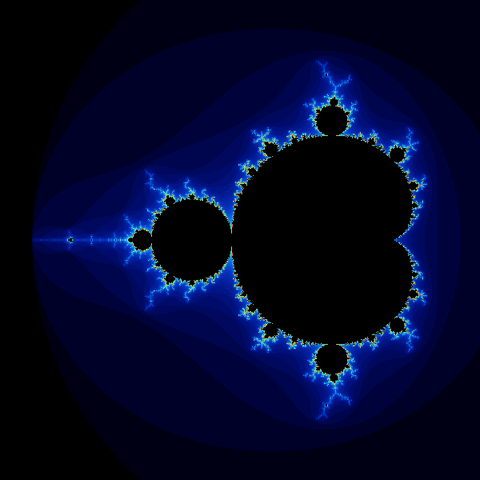 | 2. A fractal | Putting if, loops and functions together into something complex. |
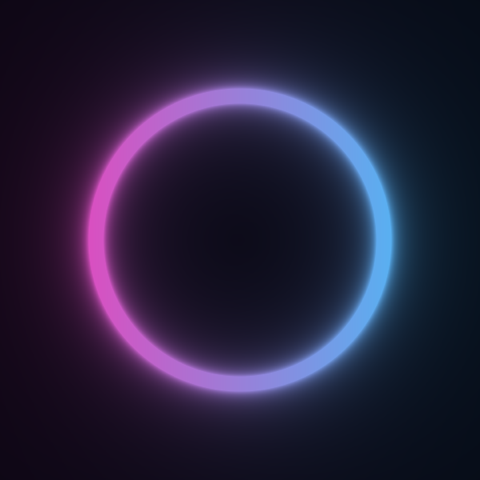 | 3. A neon ring | The math functions the GPU already has. |
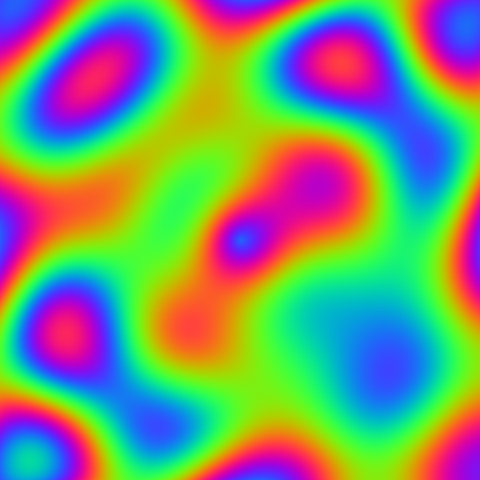 | 4. A moving plasma | How to send data to the shader from your program, such as the time. |
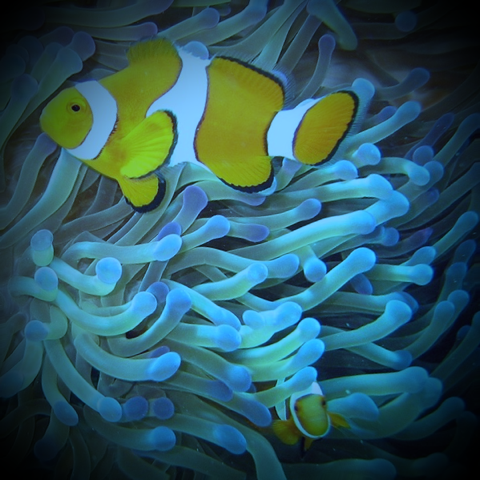 | 5. A photo underwater | How to read an image from the shader and change it. |
When something does not work out, you have When something goes wrong: a method for finding errors and the questions almost everyone asks.
This tutorial does not depend on any game engine. When you finish, in What now?, you pick yours and see how the shaders you made are used there.
Start with What is a shader?.